Plans & billing
Simple pricing that follows your store - you never report a thing by hand.
How your price is set
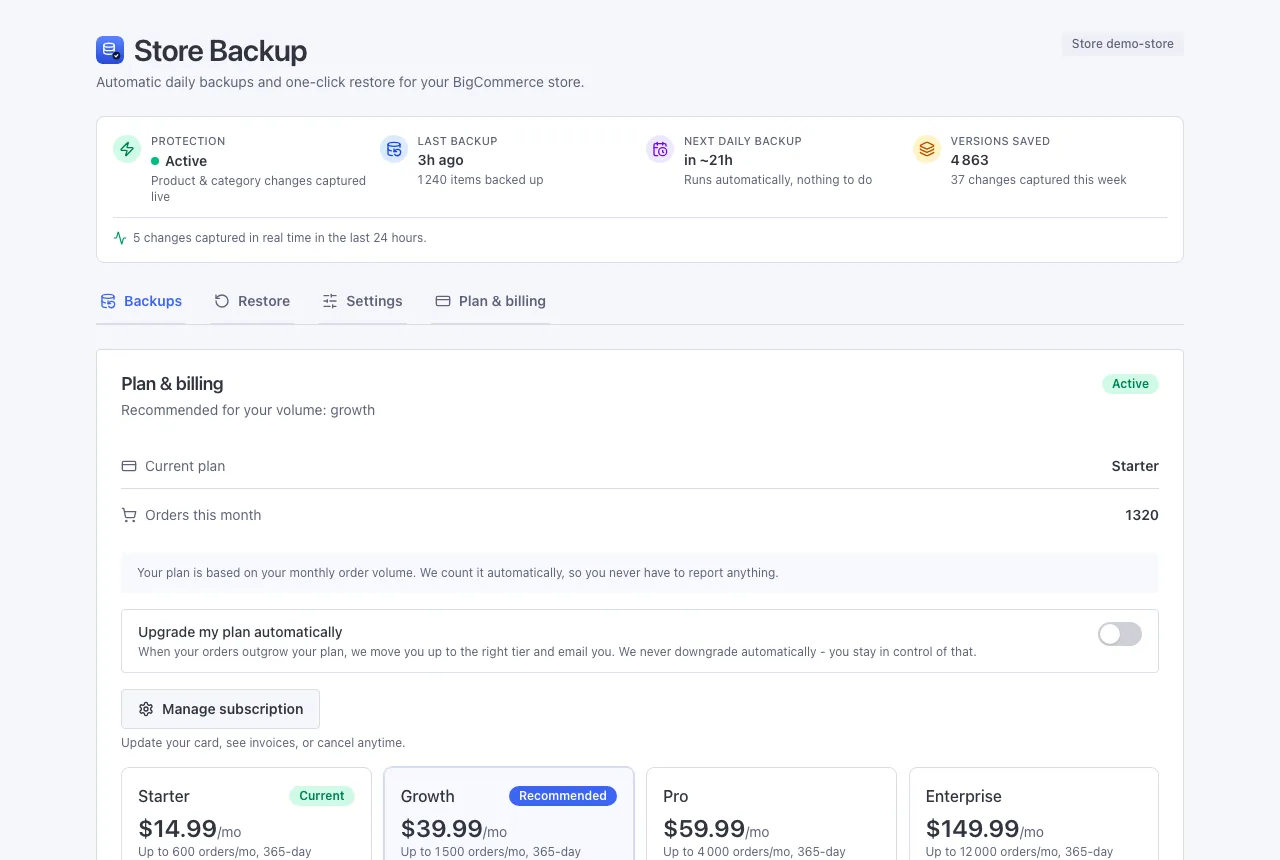
You pay based on how many orders your store gets in a month. We count them for you automatically (we are already backing up your orders, after all), so there is nothing to fill in or send us. The app simply shows the plan that fits. See the current plans on the pricing page.
Your free trial
Every store starts with a 7-day free trial. When it ends, billing begins on the plan that matches your order volume.
Moving up a plan
Say a busy month pushes you past your plan's limit. The app points out the next plan up, and you switch with one click in the Plan & billing tab.
Prefer not to think about it? Turn on automatic upgrades in that same tab. When your orders outgrow your plan, we move you up to the right one and send you an email to let you know. We never move you down on our own - that choice always stays with you. Payments are handled securely by Stripe.
Managing or cancelling
Open Manage subscription in the Plan & billing tab to update your card, view your invoices, or cancel - it's all handled on Stripe's secure page. Uninstalling the app also stops billing (your plan is cancelled at the end of the current period).
What every plan includes
- All supported store data - products, customers, orders, theme, and the rest
- Daily backups, plus live capture of product and category changes the moment they happen
- One-click restore and the Real-time changes view
- A full year (365 days) of history
Higher plans simply add more included orders per month - the feature set and history length are the same on every plan.
Next: Security & privacy